
The module XXP Barcode Company Switch lets a warehouse operator change the company in the Barcode App. One warehouse serves more than one company. The operator stays in the Barcode App.
Context
More than one company uses one warehouse. The operator does stock operations for these companies in the Barcode App (Odoo Enterprise). The operator must change the company on the Barcode App screen. The operator must see the name of the current company during the work.
What the module does
The module adds functions to the Barcode App.
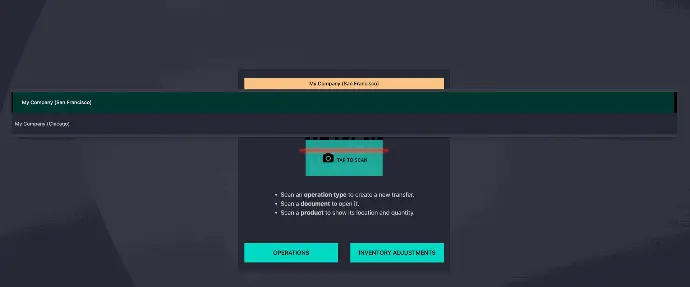
- The main screen of the Barcode App shows a button with the name of the current company.
- A click on the button opens the list of available companies.
- The selection of a company changes the company environment.
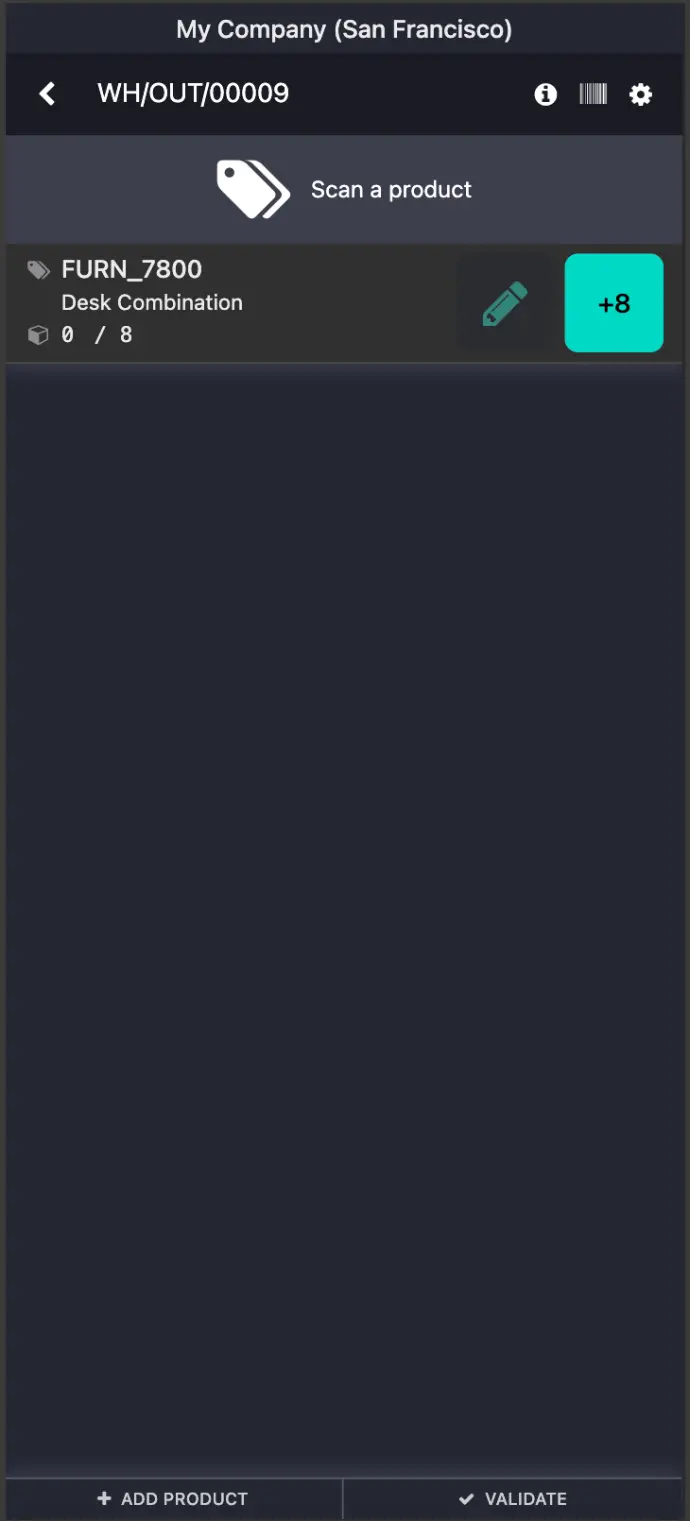
- The operation screen shows the name of the current company.
- The button and the company name are visible when the user has two or more available companies.
Installation
- Ensure you have Odoo EE modules. The module will install all the dependencies.
- Install the module XXP Barcode Company Switch.
Configuration
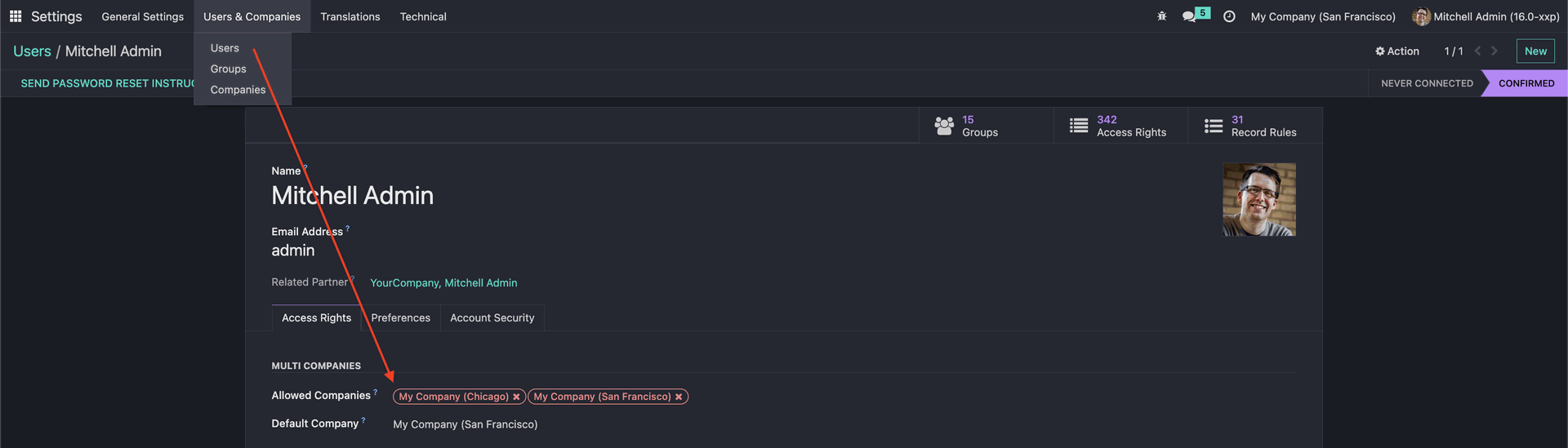
- Go to Settings > Users & Companies > Users
- Select the user record.
- In the field Allowed Companies, select the companies for this user.
- Save the user form.
Usage
- Open the Barcode App.
- Find the button with the name of the current company.
- Click this button.
- In the drop-down list, select a company.
- Continue the operation in the environment of the selected company.
- On the operation screen, check the company name at the top of the screen.
The button is visible when the user has two or more available companies. When the user has one available company, the screen does not show this button.
The module is available in the XXP Public Repository
If you need to migrate this module to your version of Odoo, or if you encounter any difficulties using it, please contact us.